
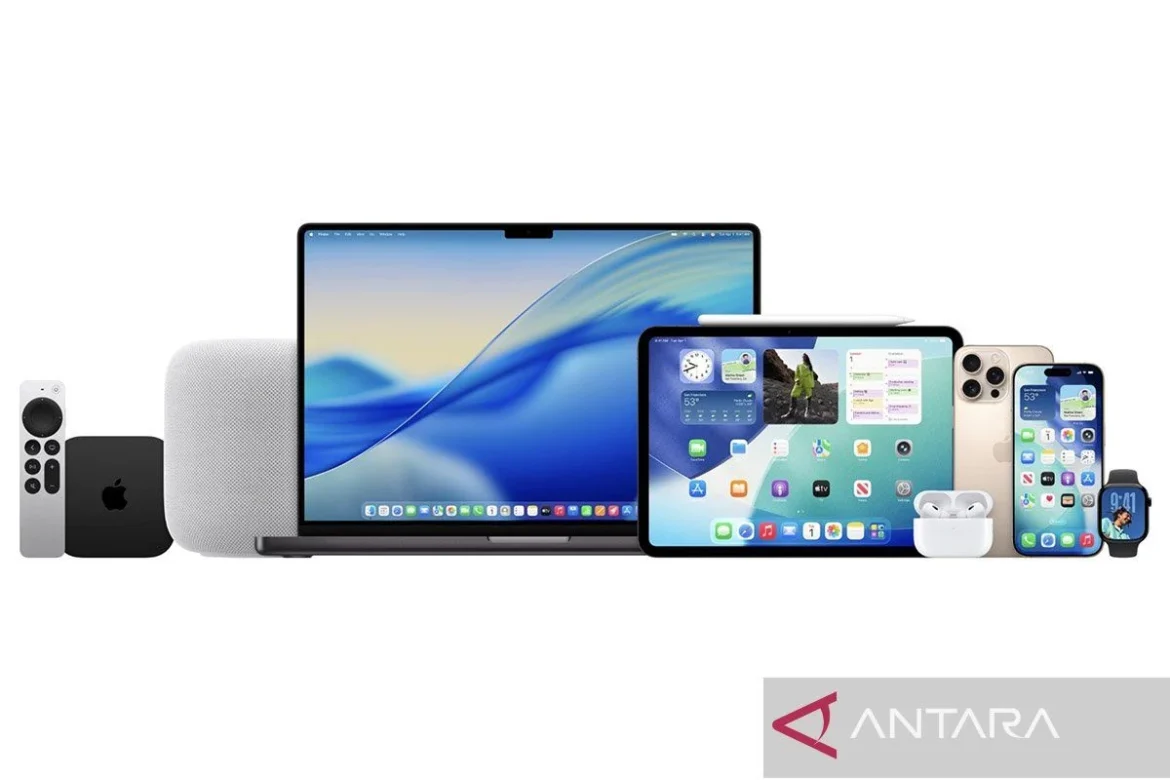
Jakarta (ANTARA) – Apple Inc. has officially rolled out its latest operating system update for iPhones, iOS 26.2, marking a significant step in the continuous evolution of its mobile platform. This crucial update encompasses a suite of new features, essential bug fixes, and critical security enhancements designed to fortify user protection and optimize overall device performance. The release underscores Apple’s unwavering commitment to delivering a secure, intuitive, and feature-rich experience for its global user base, maintaining its competitive edge in the fiercely contested smartphone market. The update is now progressively available to eligible devices, with users encouraged to install it promptly to leverage the latest advancements and safeguard their digital interactions.
The Strategic Imperative of iOS Updates: Security and Innovation
In the dynamic landscape of modern technology, software updates are not merely incremental improvements but vital components of device longevity, security, and user satisfaction. For a platform as ubiquitous as iOS, which powers hundreds of millions of devices worldwide, each update carries profound implications. Major releases, such as the annual numerical increment (e.g., iOS 26.0), introduce foundational changes and groundbreaking features. However, "dot-releases" like iOS 26.2 are equally critical, often addressing immediate security vulnerabilities, refining performance, and introducing quality-of-life improvements that might have been too complex or time-consuming for initial major rollouts. These iterative updates ensure that the ecosystem remains resilient against emerging cyber threats, consistently delivers peak performance, and gradually integrates user feedback and technological advancements. Apple’s rigorous update cycle reflects an industry-leading commitment to supporting its hardware for many years post-launch, a key differentiator in consumer loyalty and device resale value.
Key Features and Enhancements Introduced in iOS 26.2
While iOS 26.2 might not represent a ground-up redesign, it introduces several functionally significant features and refinements that enhance user interaction and productivity, as detailed by sources including Mac Rumors. These additions demonstrate Apple’s focus on practical utility and personalized experiences.
One of the most notable enhancements is the deeper integration of the alarm function with the Reminders application. Through the innovative "Urgent Reminders" option, users can now configure alarms that are not only more persistent but also appear directly on the lock screen. This ensures that critical tasks or time-sensitive notifications receive immediate attention, significantly reducing the likelihood of missed appointments or forgotten responsibilities. This feature bridges the gap between passive reminders and active alerts, providing a more robust personal organizational tool.
Furthermore, the customization capabilities of the lock screen have received a creative boost with the introduction of the "Liquid Glass" feature. This allows users to personalize their lock screen with dynamic, fluid animations and visual effects that interact subtly with touch and device orientation. Beyond mere aesthetics, Liquid Glass offers a new dimension of personalization, enabling users to express their individuality and enjoy a more engaging visual interface every time they activate their device. This reflects a broader industry trend towards greater user control over interface aesthetics.
Performance and functionality have also seen significant upgrades across core Apple services. Apple Music, Podcasts, and Game services have all benefited from optimizations designed to improve stability, responsiveness, and overall user experience. This includes faster loading times, more seamless streaming, and enhanced graphical fidelity or control responsiveness in games, catering to the increasingly demanding multimedia consumption habits of iPhone users. These improvements are crucial for maintaining user engagement with Apple’s subscription-based content platforms.
The Freeform application, Apple’s versatile digital whiteboard, receives a powerful upgrade with support for "smart tables." These intelligent tables automatically adjust their size and structure to accommodate varying amounts of text, images, or documents, streamlining collaborative projects and brainstorming sessions. This feature significantly enhances Freeform’s utility for professionals and students alike, allowing for more dynamic and organized content creation and sharing.
In terms of user convenience and accessibility, iOS 26.2 introduces a screen flash feature for incoming notifications. This visual alert, which subtly flashes the display, provides an additional layer of notification awareness, particularly useful in noisy environments or for users with auditory impairments. This thoughtful addition underscores Apple’s ongoing commitment to inclusive design.
Security for AirDrop, Apple’s proprietary peer-to-peer file sharing service, has been bolstered with the implementation of additional verification codes. This enhancement requires an extra step of authentication before transferring files, reducing the risk of unintended or malicious file transfers and providing users with greater control and peace of mind when sharing sensitive information in public or semi-public spaces. This addresses long-standing concerns about the potential for unwanted AirDrop interactions.
Beyond these prominent features, the update also incorporates numerous other improvements aimed at enhancing overall user comfort and security, from minor UI tweaks to background process optimizations, all contributing to a more refined and robust iOS experience.
Enhanced Security and Performance Optimization: A Core Priority
A cornerstone of any significant operating system update, particularly dot-releases, is the integration of critical security patches and performance optimizations. iOS 26.2 is no exception, bringing a more optimal level of protection for users. While Apple typically refrains from detailing specific vulnerabilities addressed until a broad adoption rate is achieved, industry experts anticipate that this update likely mends a range of potential exploits. These could include patching zero-day vulnerabilities that attackers might exploit, fixing memory management issues that could lead to data leakage, and strengthening cryptographic protocols to safeguard user data during transmission and storage.
Such security enhancements are paramount in an era where cyber threats are constantly evolving, ranging from sophisticated phishing attacks to malware designed to compromise personal data. By consistently delivering these security updates, Apple ensures that iPhone users are equipped with the latest defenses against malicious actors, maintaining the integrity of their personal information, financial data, and digital identities. This proactive approach to security is a key pillar of Apple’s brand trust and a significant factor in user retention.
In addition to security, performance optimizations are a subtle yet impactful aspect of iOS 26.2. These often involve refining background processes, optimizing battery consumption for new and existing features, and improving the overall responsiveness of the user interface. Such improvements contribute to a smoother, more efficient user experience, prolonging the perceived lifespan and usability of devices, even those several generations old. Bug fixes, though less glamorous, are equally crucial, addressing minor glitches or crashes that might detract from the user experience, ensuring a stable and reliable operating environment.
How to Download and Install iOS 26.2: A Step-by-Step Guide
For iPhone users eager to embrace the latest advancements, the process of updating to iOS 26.2 is straightforward, designed for accessibility and ease of use. According to Apple’s official Support website, the steps are as follows:
- Backup Your Device: Before initiating any major software update, it is highly recommended to back up your iPhone. This crucial step safeguards your data in the unlikely event of an unforeseen issue during the installation process. Users can back up their device to iCloud or to a computer via Finder (macOS Catalina or later) or iTunes (older macOS versions or Windows).
- Ensure a Stable Wi-Fi Connection: A reliable and strong Wi-Fi connection is essential for downloading the update package. This prevents data overages and ensures a consistent download stream, reducing the risk of corruption.
- Charge Your Device: Ensure your iPhone has at least 50% battery charge, or ideally, keep it connected to a power source throughout the update process. This prevents the device from shutting down mid-update, which could lead to software corruption.
- Check Storage Space: The iOS 26.2 update package will require a dedicated amount of storage space for download and installation. Users should verify that they have sufficient free space on their device. To check this, navigate to
Settings > General > iPhone Storage. If space is low, consider offloading unused apps, photos, or videos to iCloud or a computer before proceeding. - Initiate the Update:
- Open the
Settingsapp on your iPhone. - Tap on
General. - Select
Software Update. - The system will check for available updates. Once iOS 26.2 appears, tap
Download and Install. - You may be prompted to enter your passcode.
- Agree to the Terms and Conditions.
- The download process will begin. This can take some time depending on your internet speed and the size of the update.
- Open the
- Installation Process: Once the download is complete, you will see an option to
Install Now. Tap this, and your iPhone will begin the installation process. The device will restart multiple times during this phase, and a progress bar will indicate the installation status. It is crucial not to interrupt the device during this period. - Post-Installation: After the installation is complete, your iPhone will restart, and you will be greeted with a welcome screen. Follow any on-screen prompts to complete the setup, which might include confirming your Apple ID password or setting up new features.
The entire process, from download to installation, can take anywhere from 15 minutes to over an hour, depending on internet speed, device model, and the size of the update. Patience is key to a successful and seamless upgrade.
Device Compatibility: A Broad Reach for iPhone Users
Apple maintains an impressive track record of supporting its devices with software updates for many years, significantly longer than many competitors. This commitment not only enhances device longevity but also ensures a consistent user experience across a wide range of hardware. For iOS 26.2, all iPhones currently running iOS 26 are confirmed to be compatible and eligible for the update.
This expansive compatibility means that the update is available for all iPhone models released from 2019 onwards. This includes the popular iPhone 11 series, extending all the way to the very latest iPhone 17 models. Furthermore, Apple has ensured that its more budget-friendly yet powerful iPhone SE line is also covered, specifically the second and third generations, providing access to the latest features and security enhancements for a broader segment of its user base.
The comprehensive list of compatible devices includes:
- iPhone 17 Pro Max
- iPhone 17 Pro
- iPhone 17 Plus
- iPhone 17
- iPhone 16 Pro Max
- iPhone 16 Pro
- iPhone 16 Plus
- iPhone 16
- iPhone 15 Pro Max
- iPhone 15 Pro
- iPhone 15 Plus
- iPhone 15
- iPhone 14 Pro Max
- iPhone 14 Pro
- iPhone 14 Plus
- iPhone 14
- iPhone 13 Pro Max
- iPhone 13 Pro
- iPhone 13 mini
- iPhone 13
- iPhone 12 Pro Max
- iPhone 12 Pro
- iPhone 12 mini
- iPhone 12
- iPhone 11 Pro Max
- iPhone 11 Pro
- iPhone 11
- iPhone SE (3rd generation)
- iPhone SE (2nd generation)
This extensive compatibility list underscores Apple’s strategy to maximize the lifespan and utility of its hardware, fostering customer loyalty and providing a strong incentive for users to remain within the Apple ecosystem. It also ensures that a vast majority of active iPhone users can benefit from the latest security protocols and feature enhancements, contributing to a more secure and unified user experience across the platform.
Broader Implications for Users and the Ecosystem
The release of iOS 26.2 carries several significant implications for iPhone users, the broader tech ecosystem, and Apple’s strategic position. For individual users, the most immediate impact is enhanced security. With cyber threats becoming increasingly sophisticated, regular updates are not just convenient but essential for protecting personal data, financial transactions, and digital identity. The security patches in iOS 26.2 provide a crucial layer of defense, giving users greater peace of mind in their daily digital interactions.
Beyond security, the new features like enhanced Reminders, Liquid Glass customization, and Freeform’s smart tables directly contribute to an improved user experience. These additions can boost productivity, foster creativity, and make the iPhone a more personalized and engaging device. Such continuous innovation is key to retaining user satisfaction and preventing platform fatigue.
For developers, consistent iOS updates mean a stable and evolving platform to build upon. New APIs (Application Programming Interfaces) related to features like Liquid Glass or enhanced AirDrop security could open up new possibilities for app innovation, driving further engagement within the App Store ecosystem. This cycle of updates and developer adoption reinforces the vibrancy of Apple’s software environment.
From a competitive standpoint, Apple’s commitment to robust and timely software updates sets a high bar. While competitors in the Android space often struggle with fragmentation and delayed updates across various manufacturers and models, Apple’s tightly integrated hardware and software approach allows for a unified and swift rollout. This consistent delivery of security and feature updates is a significant selling point for the iPhone, reinforcing its reputation for reliability, security, and premium user experience, thereby strengthening its market share and brand loyalty. Analysts often cite software longevity as a key factor in Apple’s strong resale values and sustained user base growth.
Looking Ahead: Apple’s Continuous Software Evolution
The release of iOS 26.2 is not an endpoint but another waypoint in Apple’s continuous journey of software innovation. The company’s annual Worldwide Developers Conference (WWDC) typically sets the stage for major iOS revisions, with dot-releases like 26.2 serving as crucial refinements and security fortifications in between. This iterative development model ensures that the iOS platform remains at the forefront of mobile technology, adapting to new hardware capabilities, user demands, and the ever-changing cybersecurity landscape. Future updates are expected to further integrate artificial intelligence, enhance augmented reality capabilities, and potentially introduce more sophisticated privacy controls, building upon the foundation laid by releases like iOS 26.2.
In conclusion, iOS 26.2 represents a vital update for iPhone users, offering a blend of enhanced security, practical new features, and subtle but impactful performance improvements. Its broad compatibility ensures that a vast majority of the iPhone user base can benefit from these advancements, reinforcing Apple’s commitment to delivering a premium, secure, and continuously evolving mobile experience. Users are strongly advised to update their devices to iOS 26.2 to leverage these benefits and ensure their iPhones remain protected and performing optimally.
Pewarta: Putri Atika Chairulia
Editor: Suryanto
Copyright © ANTARA 2025
Dilarang keras mengambil konten, melakukan crawling atau pengindeksan otomatis untuk AI di situs web ini tanpa izin tertulis dari Kantor Berita ANTARA.
